

DRM-X 4.0 Security Settings
When you use DRM-X 4.0 platform, there's something to notice. To make protection safer, please select a series of necessary options to prevent piracy. It's very important to do these settings in the beginning.
We recommend Windows Business Account or above to protect files that for commercial sale.
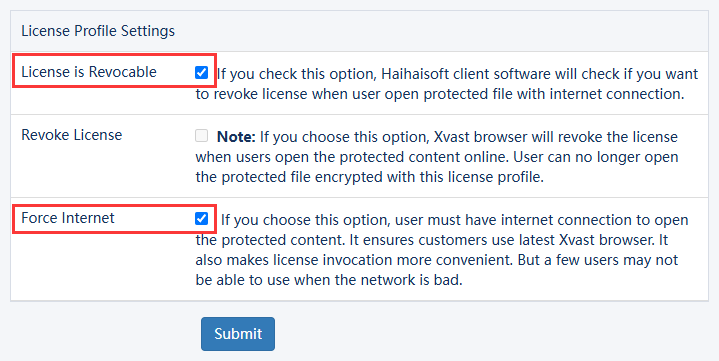
1. License Profile Settings.
Please make sure that you choose License is revocable option. If your users can always be online, please select Force Internet option.
2. For different files, you can use different license profiles to enhance security.
At least, using different license profiles to protect different kinds of contents. If you use the same License Profile to protect your files, they can be opened by the same license. If your need higher security level, we recommend that you encrypt each file with different license profiles. It's more secure, but your users have to acquire licenses for each file.
3. Basic Rights Settings: Please select Check Server Time option and Disable Virtual Machine option.
License Rights Settings:

4. Expiration Time options: Expiration Date option and Expiration after First Use option.
They shouldn't be more than half a year. Longer expiration date will cause trouble when you revoke License and reset Rights. Shorter expiration date is more secure.
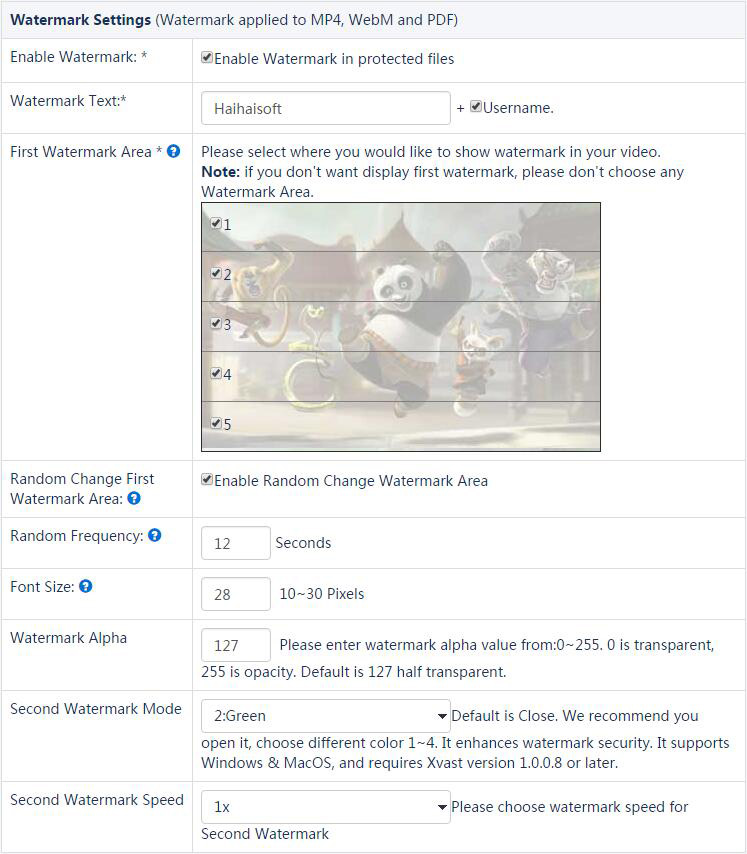
5. Watermark Settings. We highly recommend that you open Watermark.
Dynamic Watermark can show users' personal information. For example, user's mobile phone number, passport number, user id and so on. It's not for showing your company logo. Your company logo can be directly encode into videos. Dynamic Watermark can be used for Legal evidence purpose. People won't record the video when they see their mobile phone number or passport number showing on it. For watermark settings, please select Username. When you create user in DRM-X 4.0 Account, you can use user's mobile phone number as Username. You can also integrate with your web site and customize watermark text. We recommend that you open Second Watermark. You can choose different watermark color 1~4. It enhances watermark security. It supports Windows & MacOS, and requires Xvast version 1.0.0.8.
License Rights Settings:
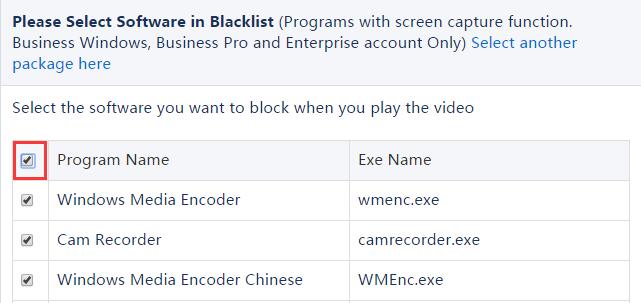
6. For Blacklist, please select all.
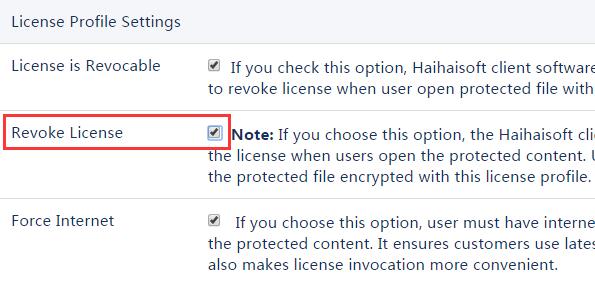
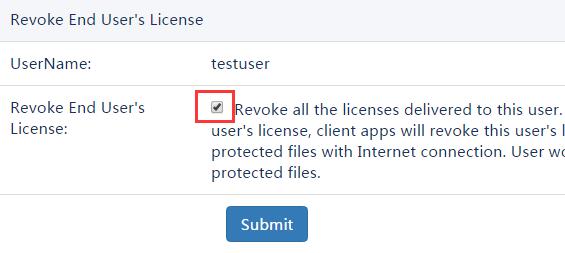
7. Revoke License.
If your contents are cracked, you can select Revoke License option in License Profile. It will revoke license when user open your content with Internet Connection. Then, you can force users upgrade to the latest client software and resend license. If you find someone records your video (by watermark text you can know which user) or someone asks for refund, you can revoke his license. You can also revoke someone's license in Users Revoke. Only Enterprise Account can use this function.
Revoke License:
Revoke End User's License: Enter the "user" management page, click "Revoke" to enter the page to revoke the user license.
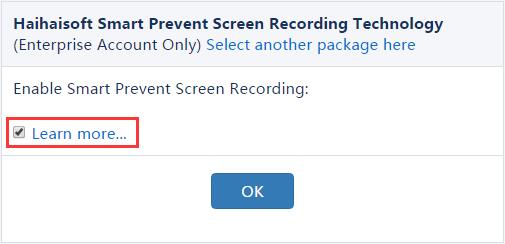
8. Enable Smart Prevent Screen Recording.
In DRM-X 4.0, Haihaisoft Smart Prevent Screen Recording Technology can automatically and effectively detect Screen Recording software. It helps content providers better control the Rights of their DRM-X 4.0 protected content.
Haihaisoft Smart Prevent Screen Recording Technology is big enhancement compare previous Haihaisoft Blacklist feature. Blacklist can only prevent screen recording or capturing software in the Blacklist, currently nearly about 200 common screen recording and capturing software. But Smart Prevent Screen Recording Technology is much smarter than Blacklist, it detects all major currently screen recording software and even future screen recording software.
To turn on Haihaisoft Smart Prevent Screen Recording Technology, you have to purchase DRM-X 4.0 Enterprise account, and in Rights->Edit Rights, please choose Enable Haihaisoft Smart Prevent Screen Recording Technology.
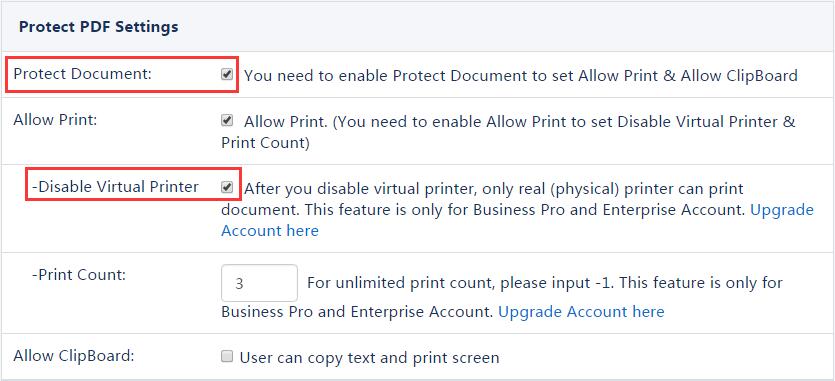
9. PDF Document.
Please select Check "Protect Document" option. If you allow your clients to print PDF, we highly recommend that you select "Disable Virtual Printer" option and set limited "Print Count". Please don't select "Allow Clipboard" option.
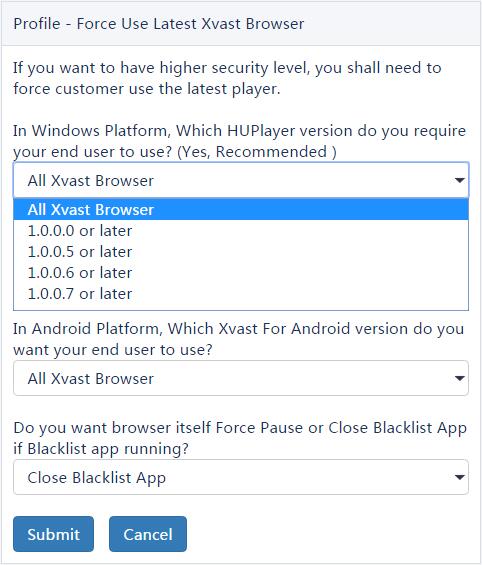
10. Force Use Latest Xvast Browser.
You can enhance security level by using the latest Xvast. If you don't know whether it's necessary to upgrade to the latest Xvast, you can contact with Haihaisoft Customer Service. You can set it on your DRM-X 4.0 Account: "Account Settings" -> "Force Use Latest Xvast".
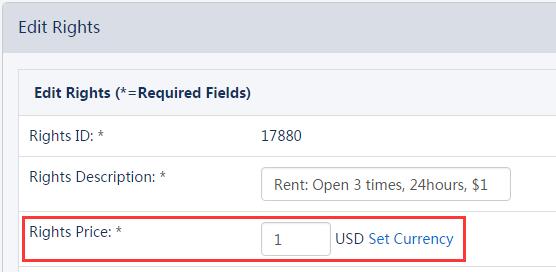
11. If you are haven't integrated DRM-X with your website, Don't set the Rights price to 0.
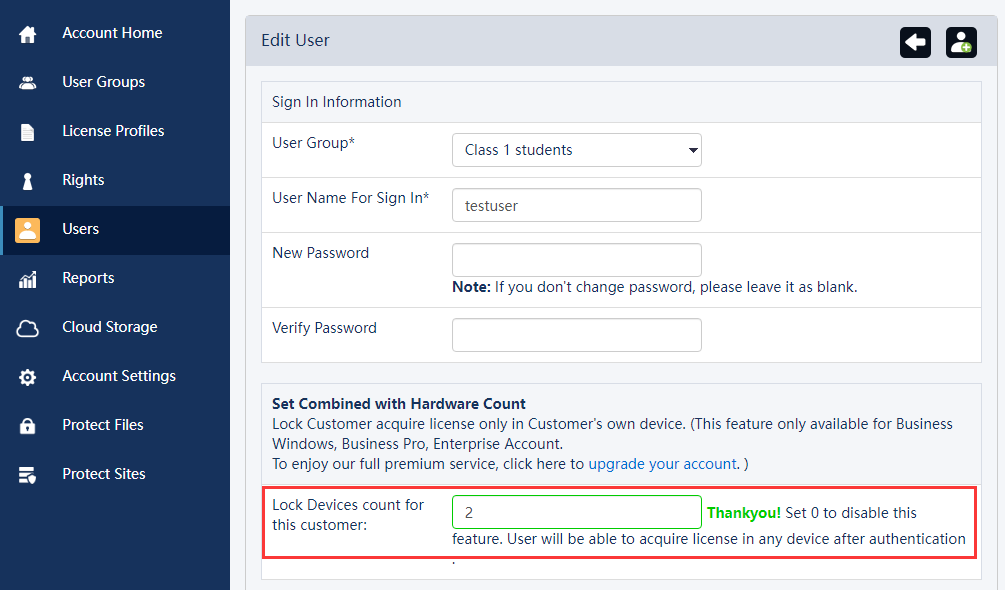
If you don't integrate with your website and use the standard DRM-X Admin. Don't set the Rights price to 0, it prevents users obtain license for an unlimited of times. We recommend that you set the number of hardware bindings for the end user. When hardware binding is enabled, the user can only obtain the license for the specified number of devices.
If you are have integrated DRM-X with your website, we recommended that you enable hardware binding for the end users so that security is optimal. If hardware binding is not enable, you must limit the number of times for user can acquire a license (through integration), which improves security.
The latest version of Xvast for iOS download media notes:
If you want your customers to download videos on iOS, you must have the following characteristics in the link, with _P. For example, the link contains _P.mp4 or _P.mp3, which is case-insensitive. Or contains xvast. You can include one of these characteristics in any location on the download link, then Xvast for iOS recognizes and supports downloads.
Other DRM-X 4.0 Tutorials
 DRM-X 4.0 Introduction Video
We through the Video show you the demo how to use DRM-X 4.0 platform, how to settings before encryption and How to encrypt video. We will show you how to play encrypted video.
WATCH NOW DRM-X 4.0 HTML web page encryption tutorial
With DRM-X 4.0, it encrypts web pages includes html, CSS, JavaScript and images, and control who can view your web content. It stops copying, prevent printing and print screen, and expires content when it should no longer be viewed.
WATCH NOW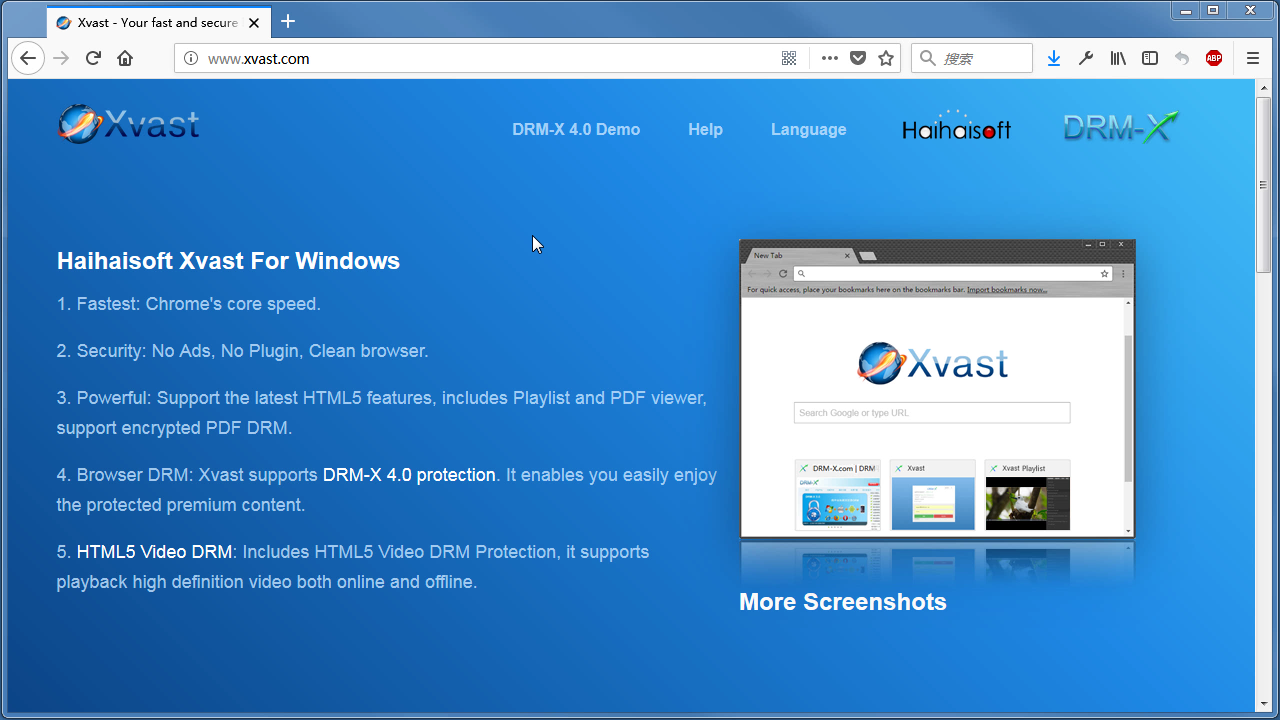 Xvast Windows Video Tutorial
We through the Video show you the demo how to download, install and use Xvast browser, how to open encrypted file and How to solve problems with use.
WATCH NOW DRM-X 4.0 Video Encryption Tutorial
We through the Video show you the demo how to use DRM-X 4.0 platform, how to settings before encryption and How to encrypt video. We will show you how to play encrypted video.
WATCH NOW DRM-X 4.0 integration with WordPress
Custom login page integration is a customer ordered a protected content from your website, when customer plays the content, it will prompt your website customized login page, after customers input Username and Password of your websites account, they will get the license immediately to play the protected file. It requires you create a new DRM login page.
WATCH NOW DRM-X 4.0 Security Settings
When you use DRM-X 4.0 platform, there's something to notice. To make protection safer, please select a series of necessary options to prevent piracy. It's very important to do these settings in the beginning.
WATCH NOWQuestions?
Our reps have answers.
Ask about Haihaisoft products, pricing, implementation, or anything else — our highly trained reps are standing by, ready to help.
Tel: +64 27 507 9959 (New Zealand)
QQ: 1279126286 / 994184623
Contact us on Microsoft Teams
service#haihaisoft.com (replace # into @)
Contact Us