

HHMeet Tutorial - How to protect Zoom Webinar with DRM?
HHMeet for protecting Zoom Webinar is Beta version. Protect your Zoom Webinar with DRM-X 4.0, it supports advanced DRM security features, such as Haihaisoft Smart Prevent Screen Recording Technology, Blacklist, Dynamic Watermark, Hardware binding, Prevent Virtual Machine, and so on.
1. Purchase a Zoom Pro account and Zoom Webinars.
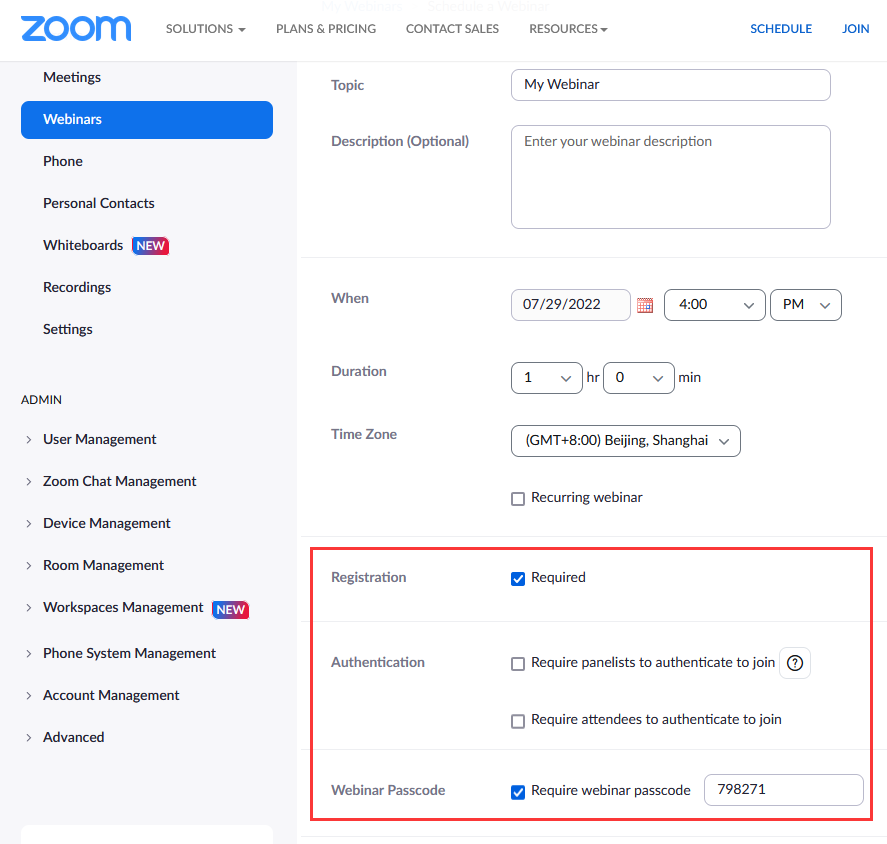
2. Login to your Zoom account, and Schedule a Webinar(refer to the image demo below for setup).
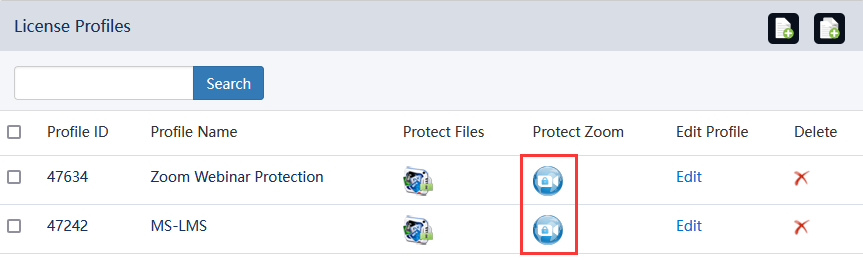
3. Login to the DRM-X 4.0 Enterprise account. Select the HHMeet icon under [Protect Zoom] in the License Profile to set the parameters.
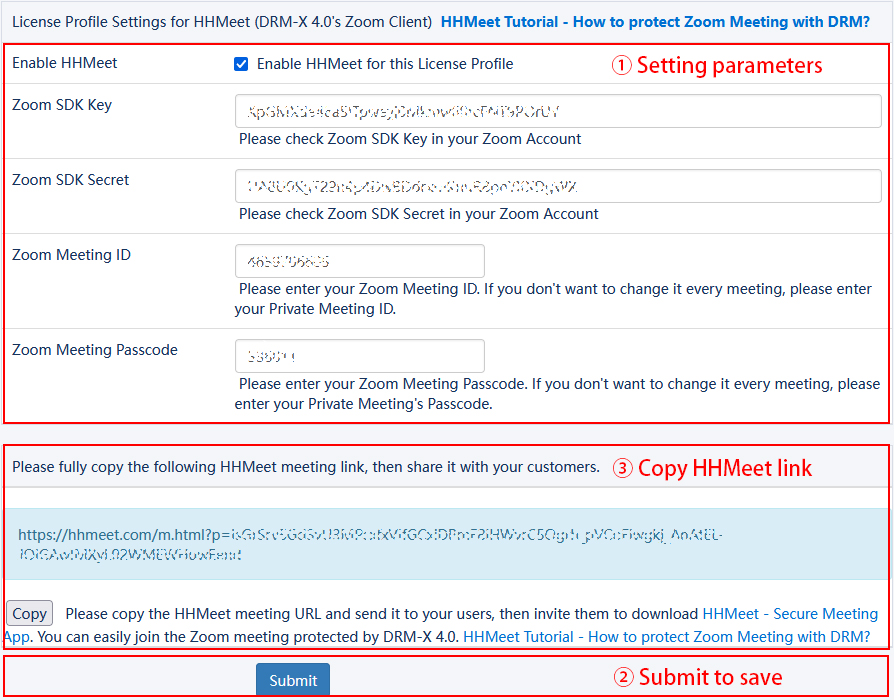
4. Submit to generate the HHMeet URL.
5. Create an end user account.
6. Send the HHMeet URL, end user account and HHMeet client to the user.
Picture demo
Once you have purchased a Zoom webinar, you can create a webinar by visiting https://us02web.zoom.us/webinar/list and click "Schedule a Webinar" to create a webinar.
In the following settings, please select "Registration" and "Require webinar passcode", do not select "Authentication". Once setup is complete, click the "Schedule" button.
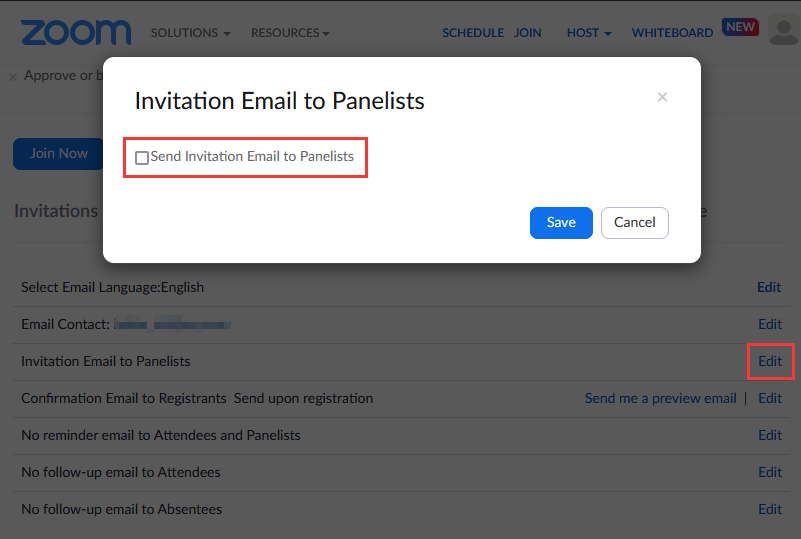
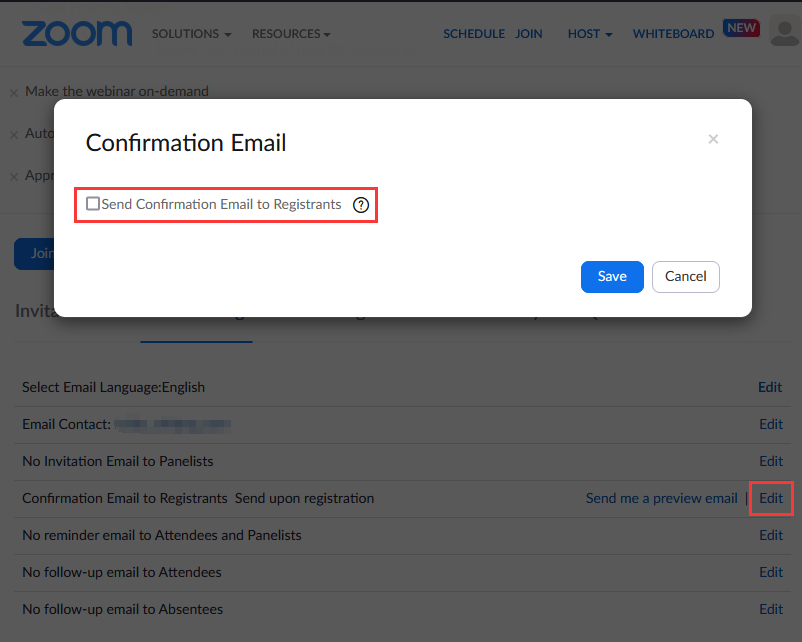
After clicking the "Schedule" button, you need to make a very important setting, click "Email Settings" below, and set not to send email notifications to anyone. Edit "Invitation Email to Panelists", "Confirmation Email to Registrants Send upon registration". Email notifications are turned off to prevent users from joining webinars by other means.
Please note that if a webinar number and password or webinar registration URL is leaked, the webinar will no longer be secure.
The display after setting is as follows:
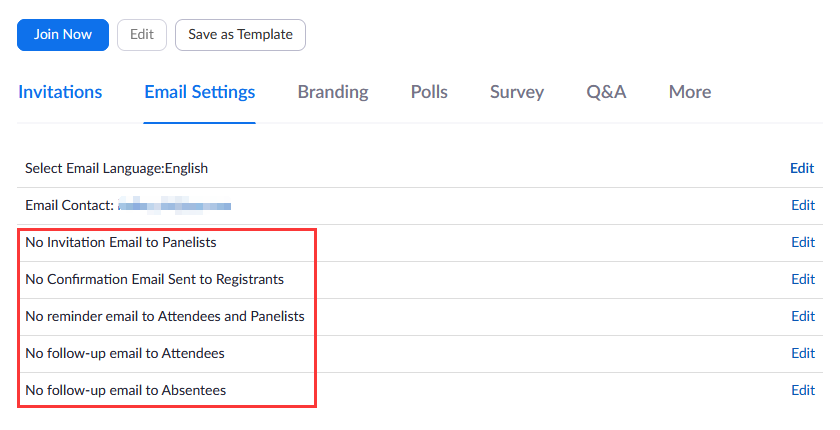
Note: Polls, Survey, and Q&A are currently not supported for protected Zoom Webinars.
Login to your DRM-X 4.0 account, create a License Profile on the [License Profile] page, and then click the icon under [Protect Zoom] to set the Zoom webinar encryption.
Click [Enable HHMeet] to enable HHMeet for this license Profile.
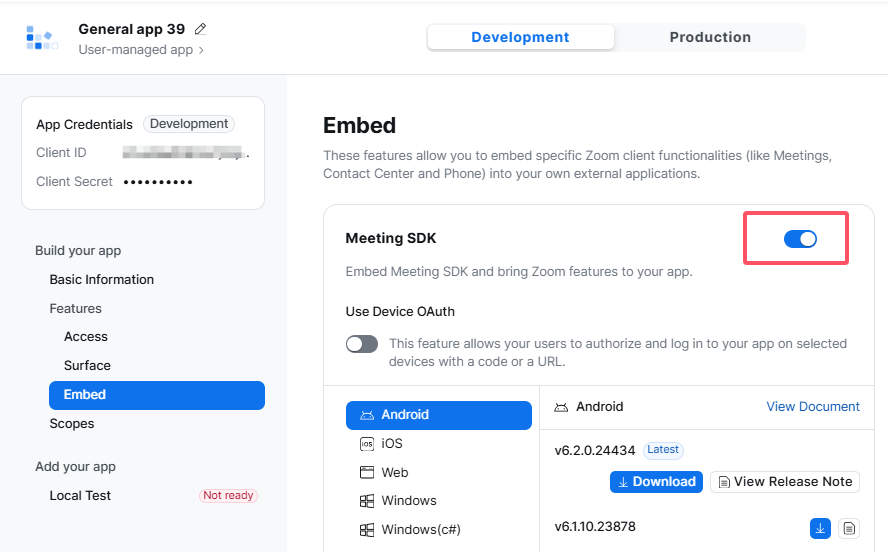
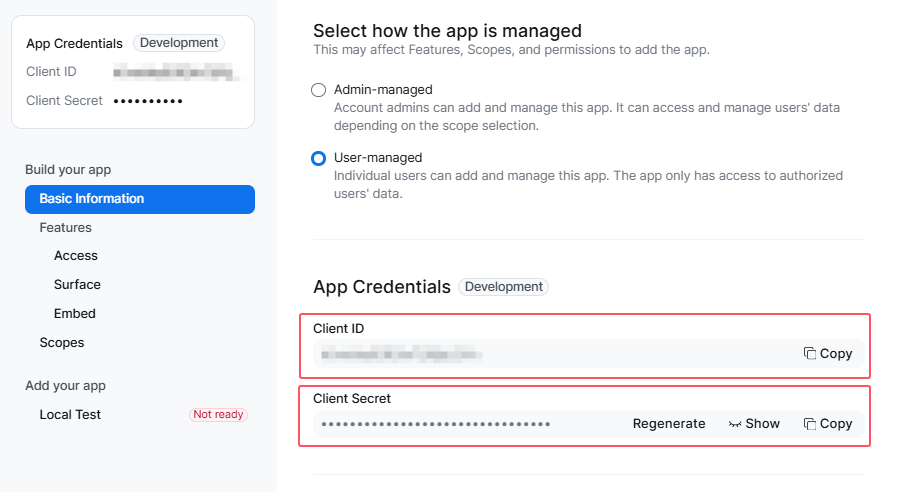
Set the SDK parameters of the Zoom account, Webinar ID and Webinar Passcode.
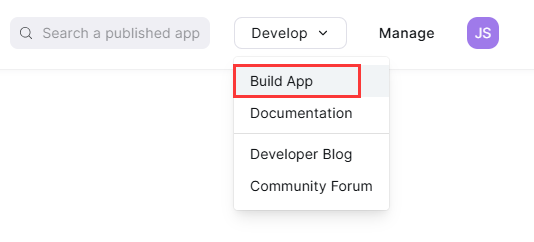
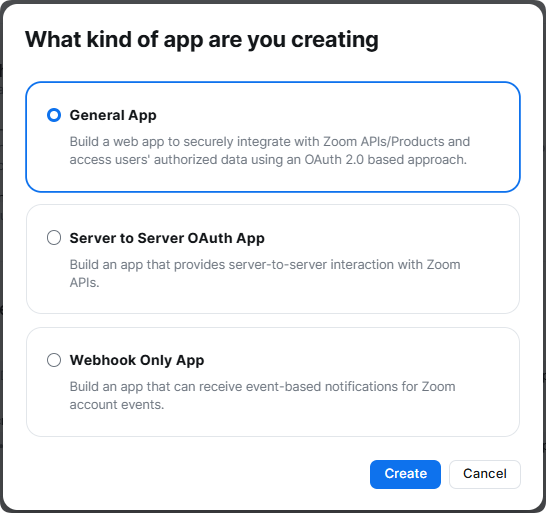
How can I check the parameters of my Zoom SDK?
Please visit Zoom App Marketplace: https://marketplace.zoom.us/ Login to your Zoom Pro account and create SDK.
Other DRM-X 4.0 Tutorials
 DRM-X 4.0 Introduction Video
We through the Video show you the demo how to use DRM-X 4.0 platform, how to settings before encryption and How to encrypt video. We will show you how to play encrypted video.
WATCH NOW DRM-X 4.0 HTML web page encryption tutorial
With DRM-X 4.0, it encrypts web pages includes html, CSS, JavaScript and images, and control who can view your web content. It stops copying, prevent printing and print screen, and expires content when it should no longer be viewed.
WATCH NOW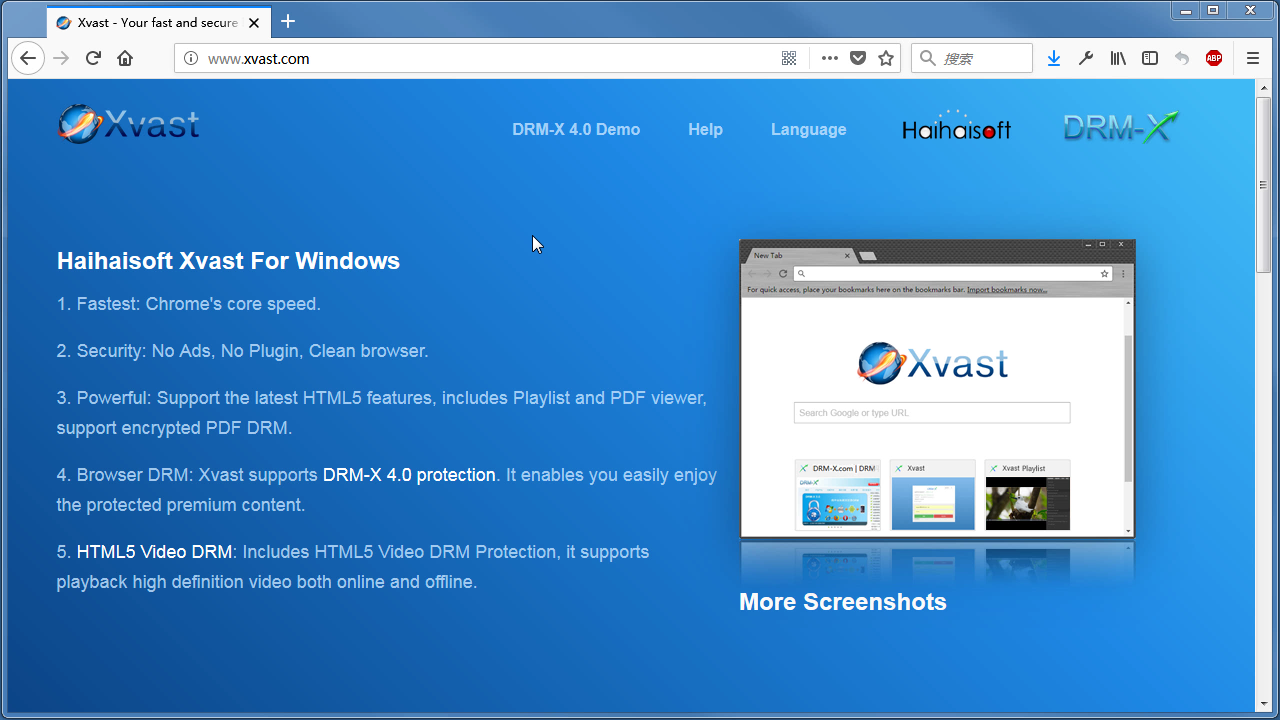 Xvast Windows Video Tutorial
We through the Video show you the demo how to download, install and use Xvast browser, how to open encrypted file and How to solve problems with use.
WATCH NOW DRM-X 4.0 Video Encryption Tutorial
We through the Video show you the demo how to use DRM-X 4.0 platform, how to settings before encryption and How to encrypt video. We will show you how to play encrypted video.
WATCH NOW DRM-X 4.0 integration with WordPress
Custom login page integration is a customer ordered a protected content from your website, when customer plays the content, it will prompt your website customized login page, after customers input Username and Password of your websites account, they will get the license immediately to play the protected file. It requires you create a new DRM login page.
WATCH NOW DRM-X 4.0 Security Settings
When you use DRM-X 4.0 platform, there's something to notice. To make protection safer, please select a series of necessary options to prevent piracy. It's very important to do these settings in the beginning.
WATCH NOWQuestions?
Our reps have answers.
Ask about Haihaisoft products, pricing, implementation, or anything else — our highly trained reps are standing by, ready to help.
Tel: +64 27 507 9959 (New Zealand)
QQ: 1279126286 / 994184623
Contact us on Microsoft Teams
service#haihaisoft.com (replace # into @)
Contact Us